


It’s on your Mac
The Hue app only runs on your phone, and on the Mac there’s just Hue Sync, which syncs your lights with the screen. Lightboard is a proper Mac app, with a menu bar panel, hotkeys and ⌘K to get anywhere.
Lightboard talks to your Hue bridge directly over your own network. No account, no cloud, no remote API. If your internet goes down, your lights still work and so does this.
Download for Mac v0.1.1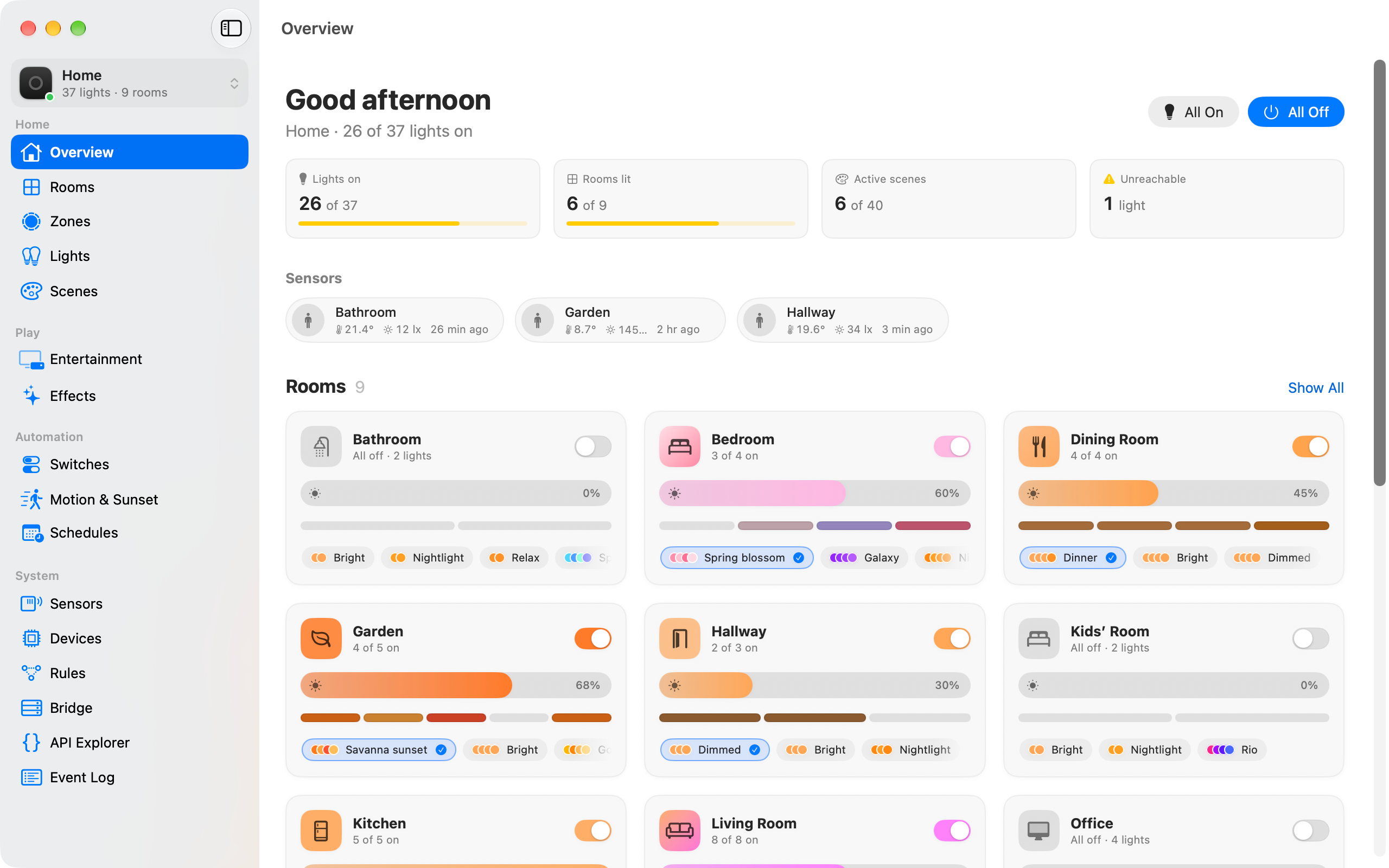
There's nothing to sign up for. Press the link button on your bridge and you're done.
It never touches the Hue cloud or remote API. Bridges are found with Bonjour or by IP address.
If your internet goes down, your lights still work and so does Lightboard.
No analytics, no telemetry and nothing phoning home about how you use it.
Everything comes live from the bridge's event stream, so it's always showing what your lights are actually doing, however they got that way.
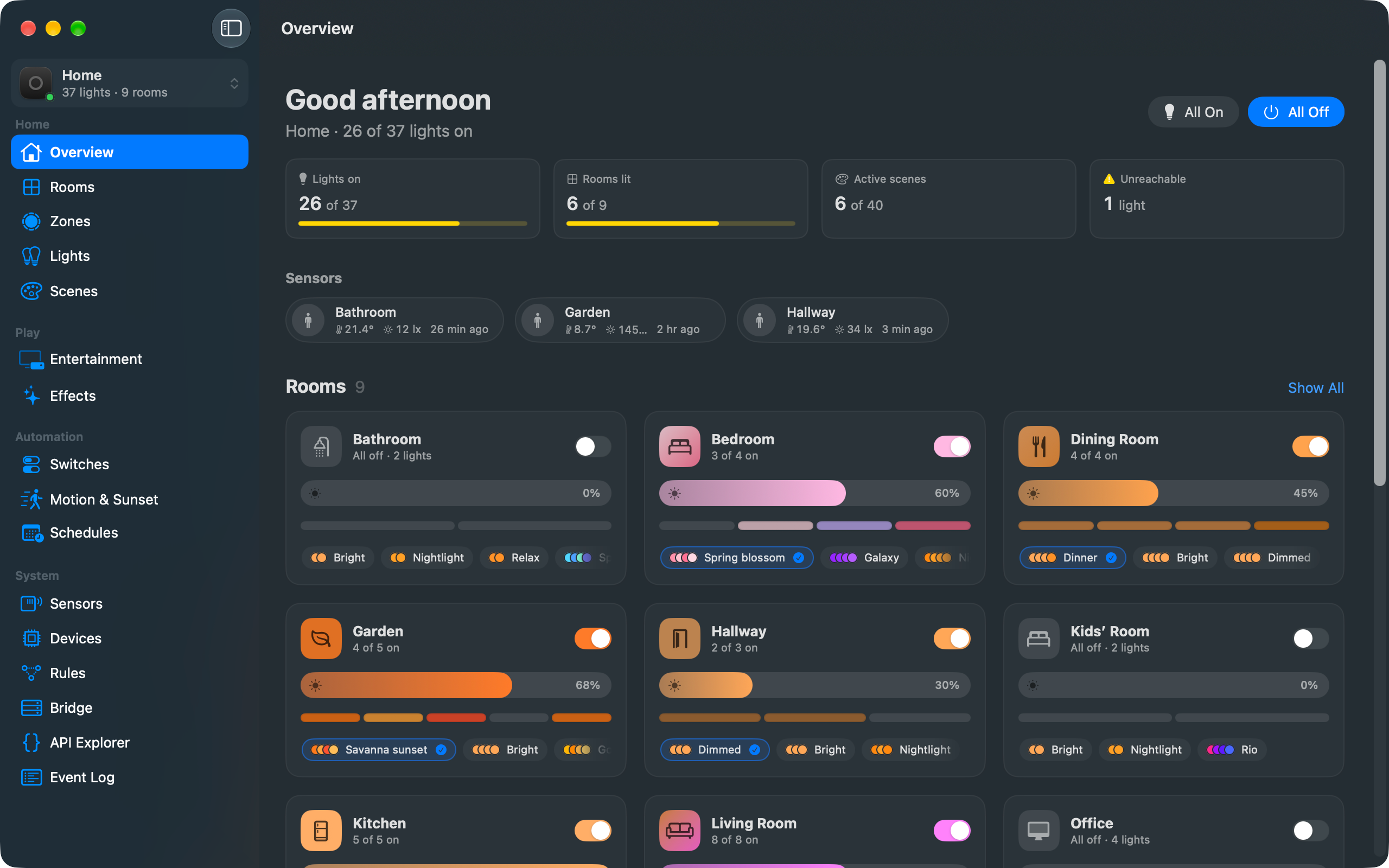
Every room with its brightness, colours and scenes, what your sensors are reporting, and anything that's gone unreachable.
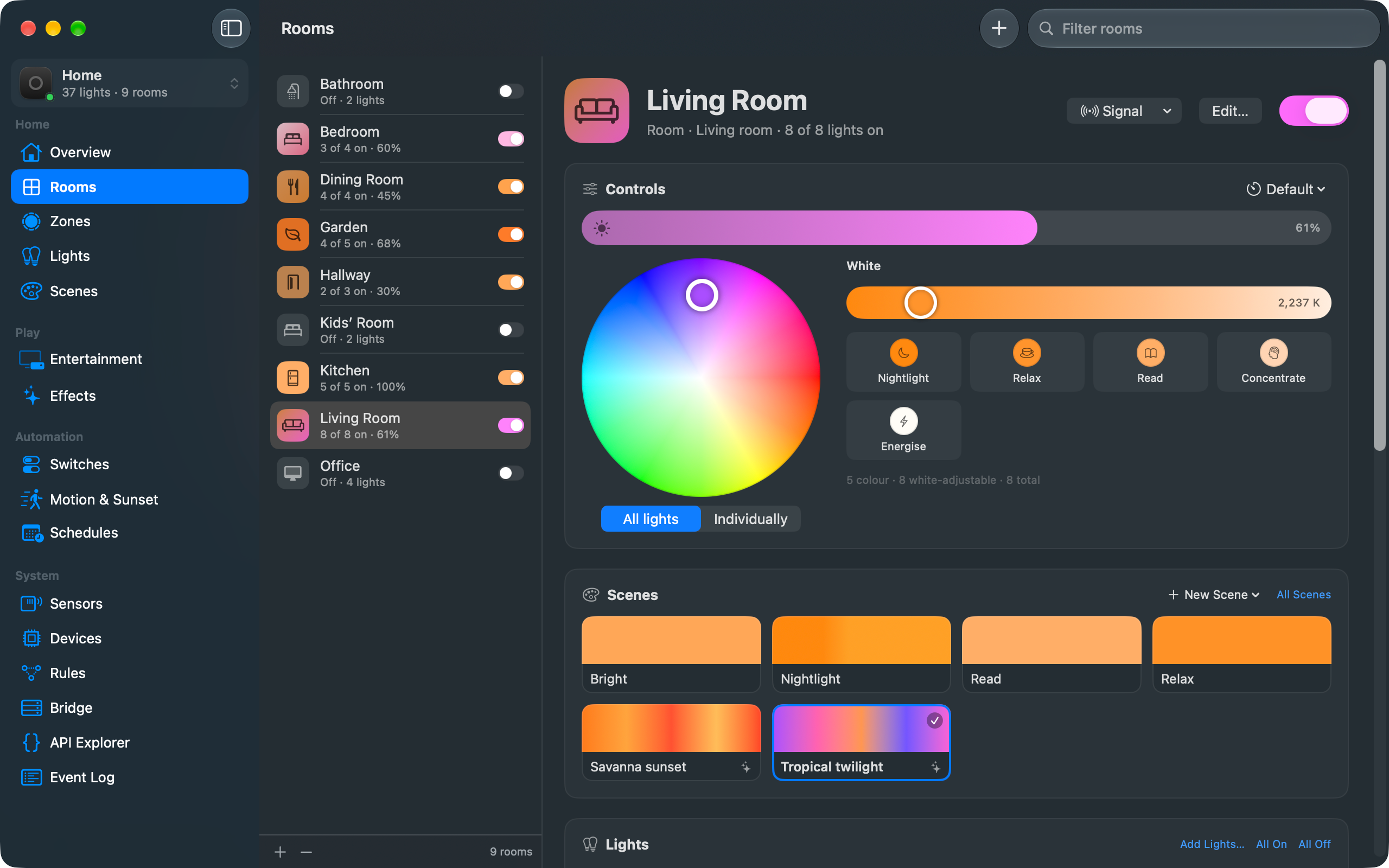
A colour wheel, white temperature and brightness for a whole room or one light at a time. Change something in the Hue app or with a switch and it shows up straight away.
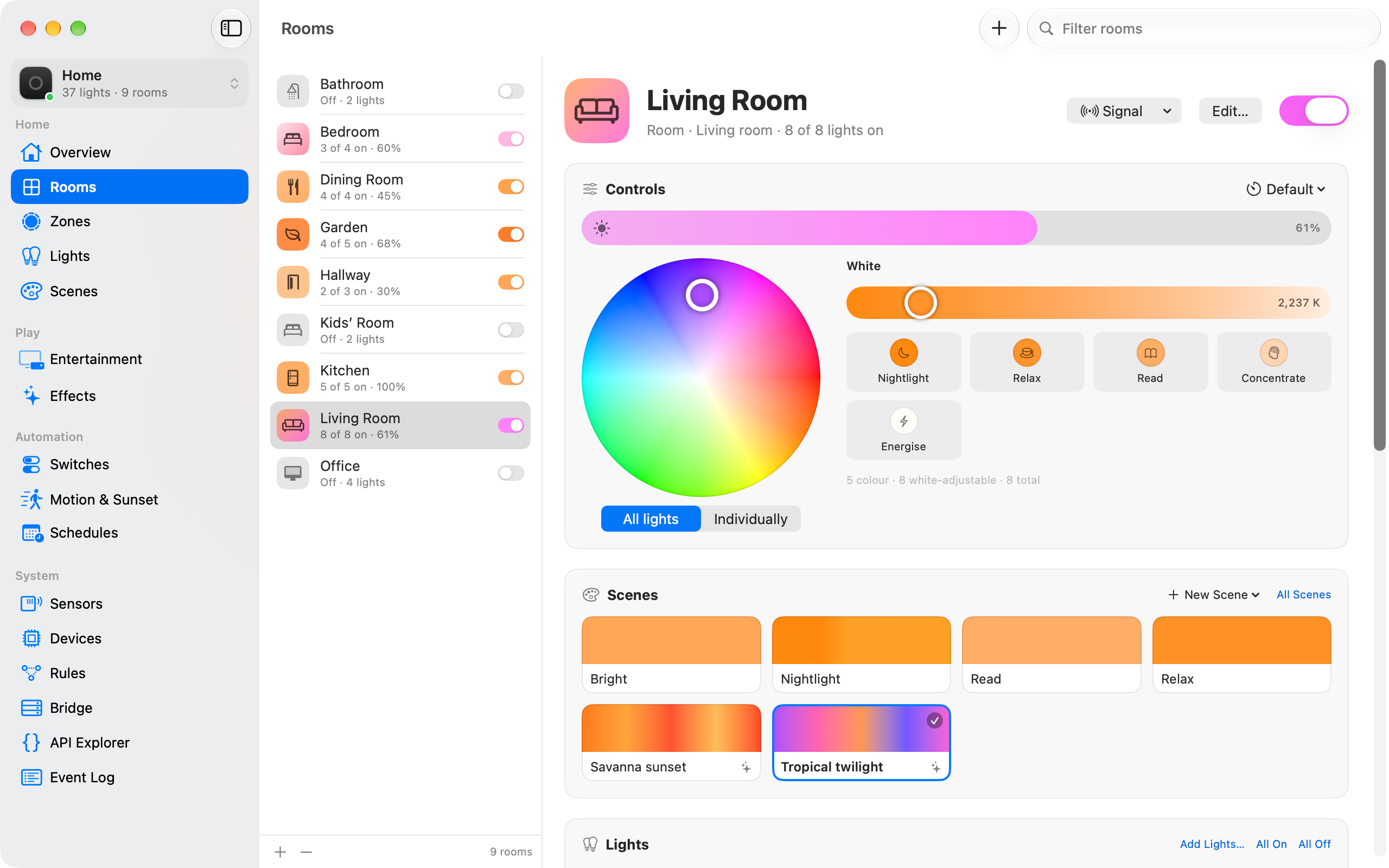
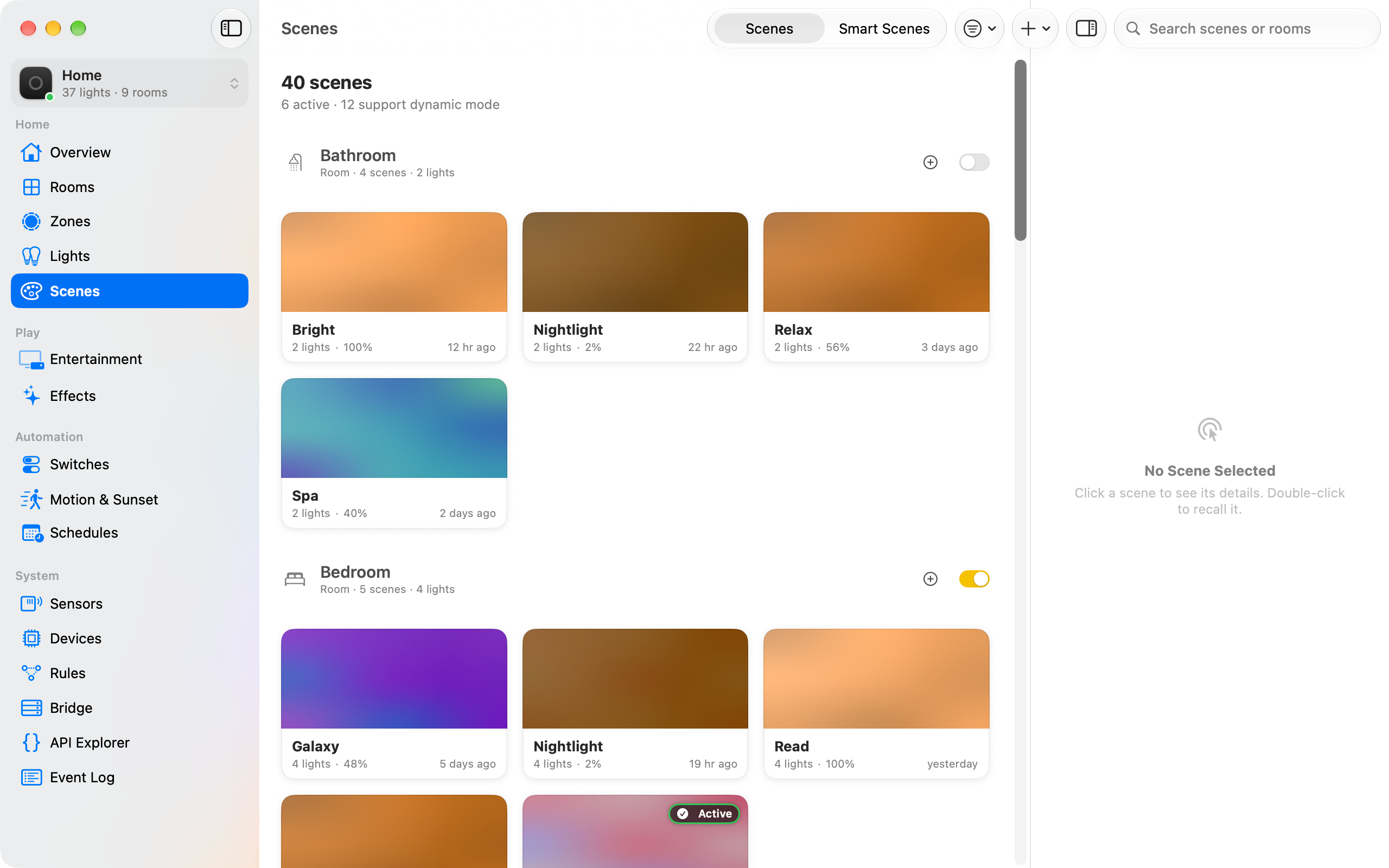
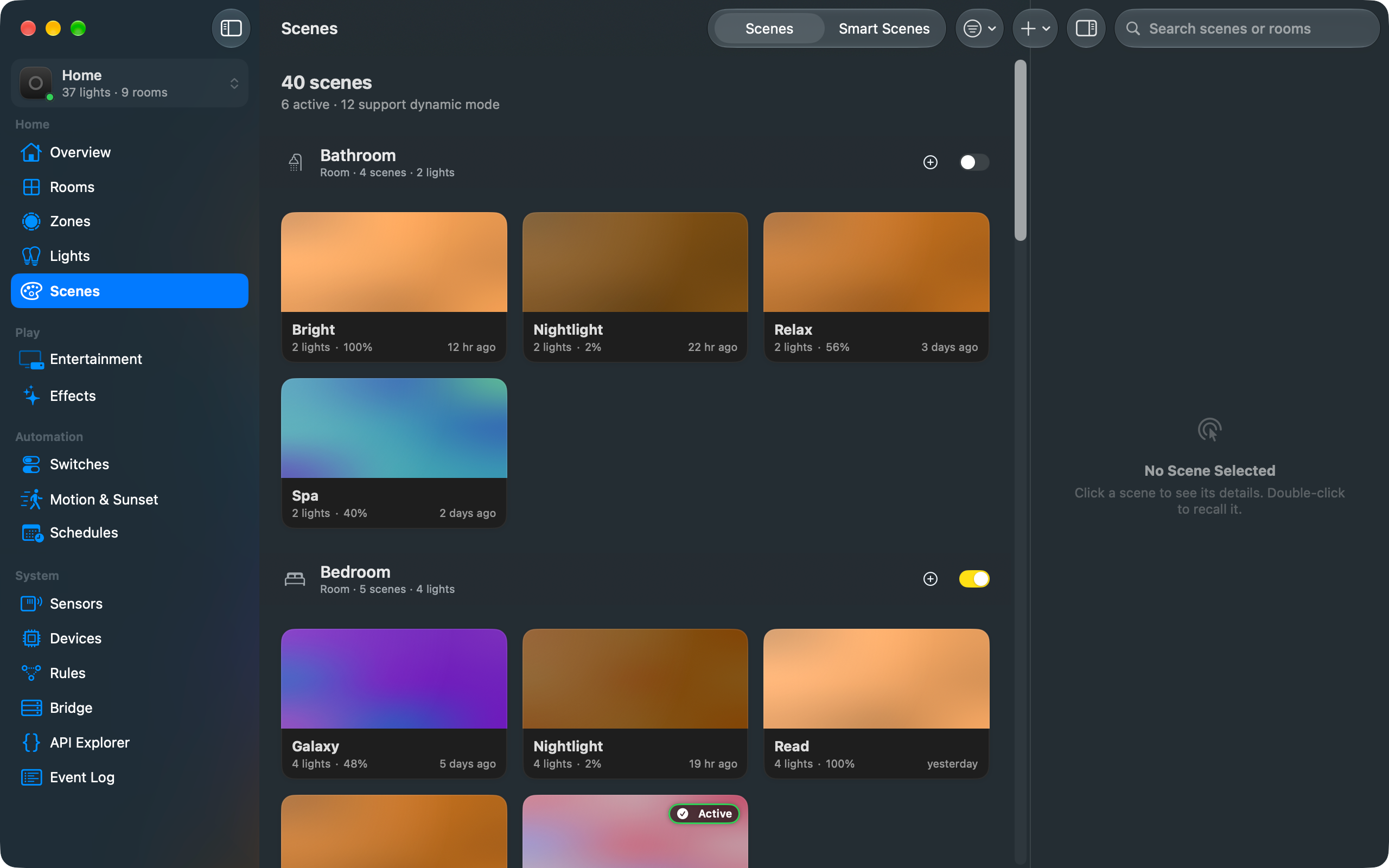
Every scene, grouped by room, with a preview of its colours. Double-click to recall one, in dynamic mode if it supports it.
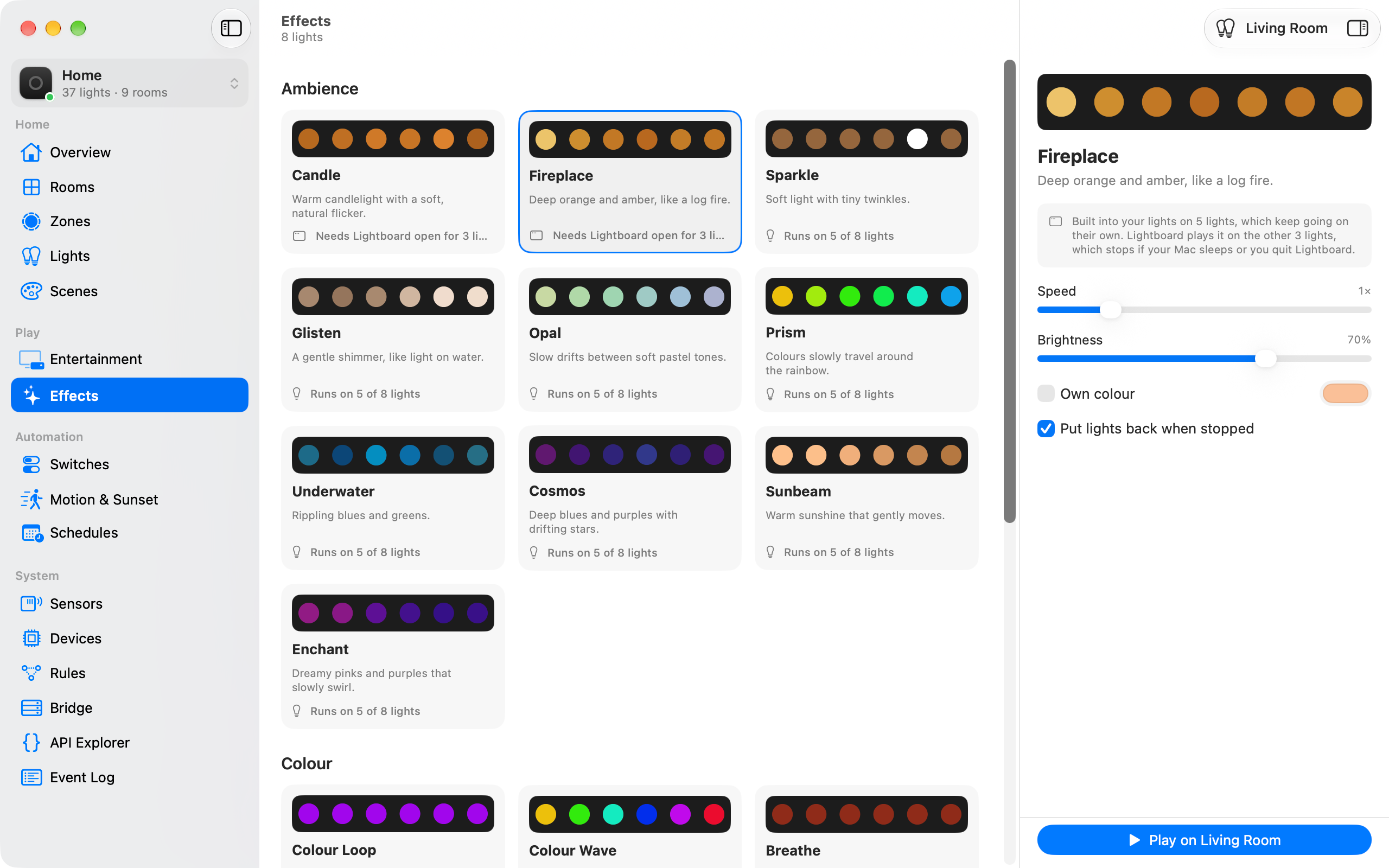
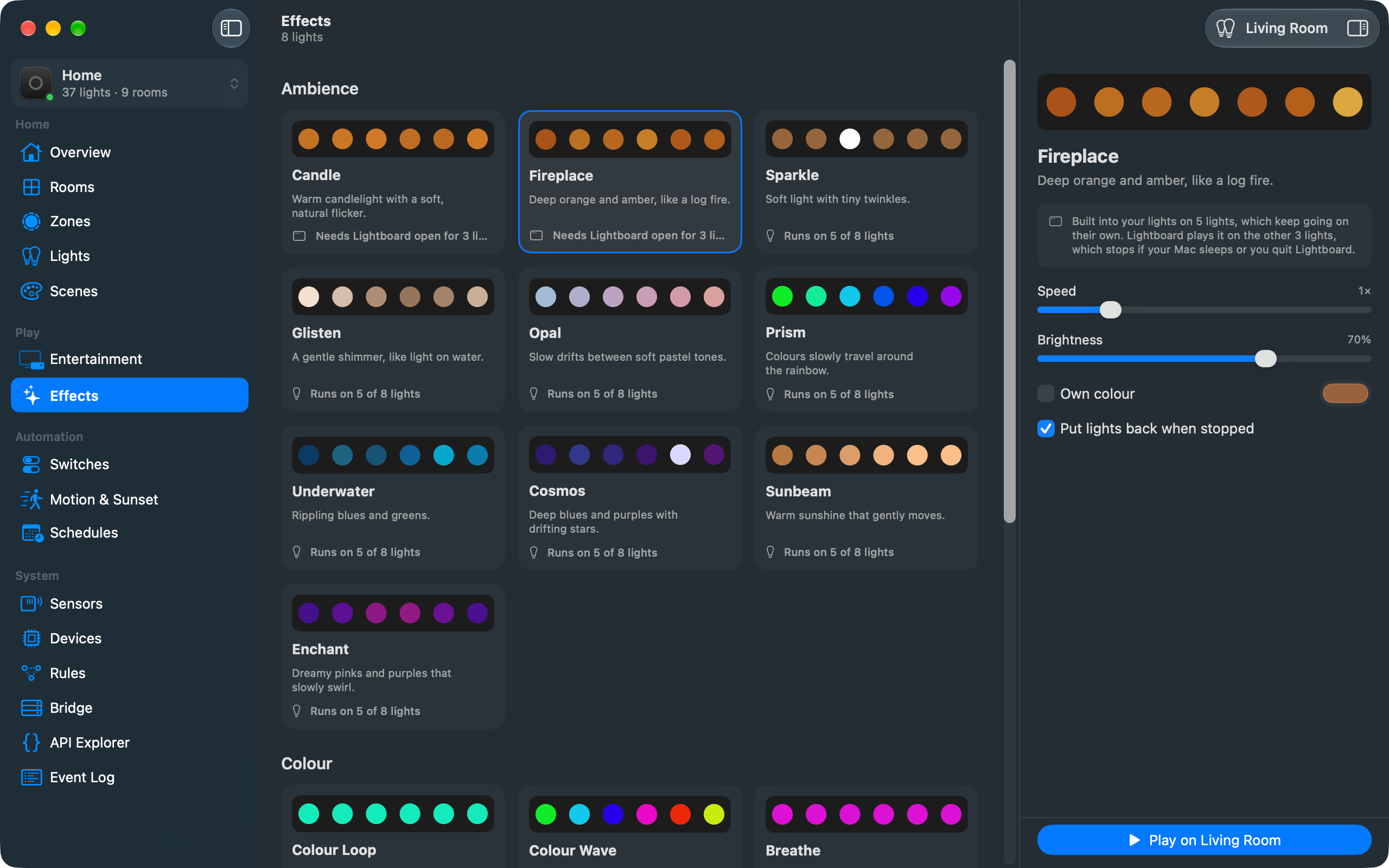
Candle, fireplace, sparkle, prism and the rest. Lights that can't run an effect themselves get it from Lightboard, and Sunset warms and dims a room to off over as long as you like.
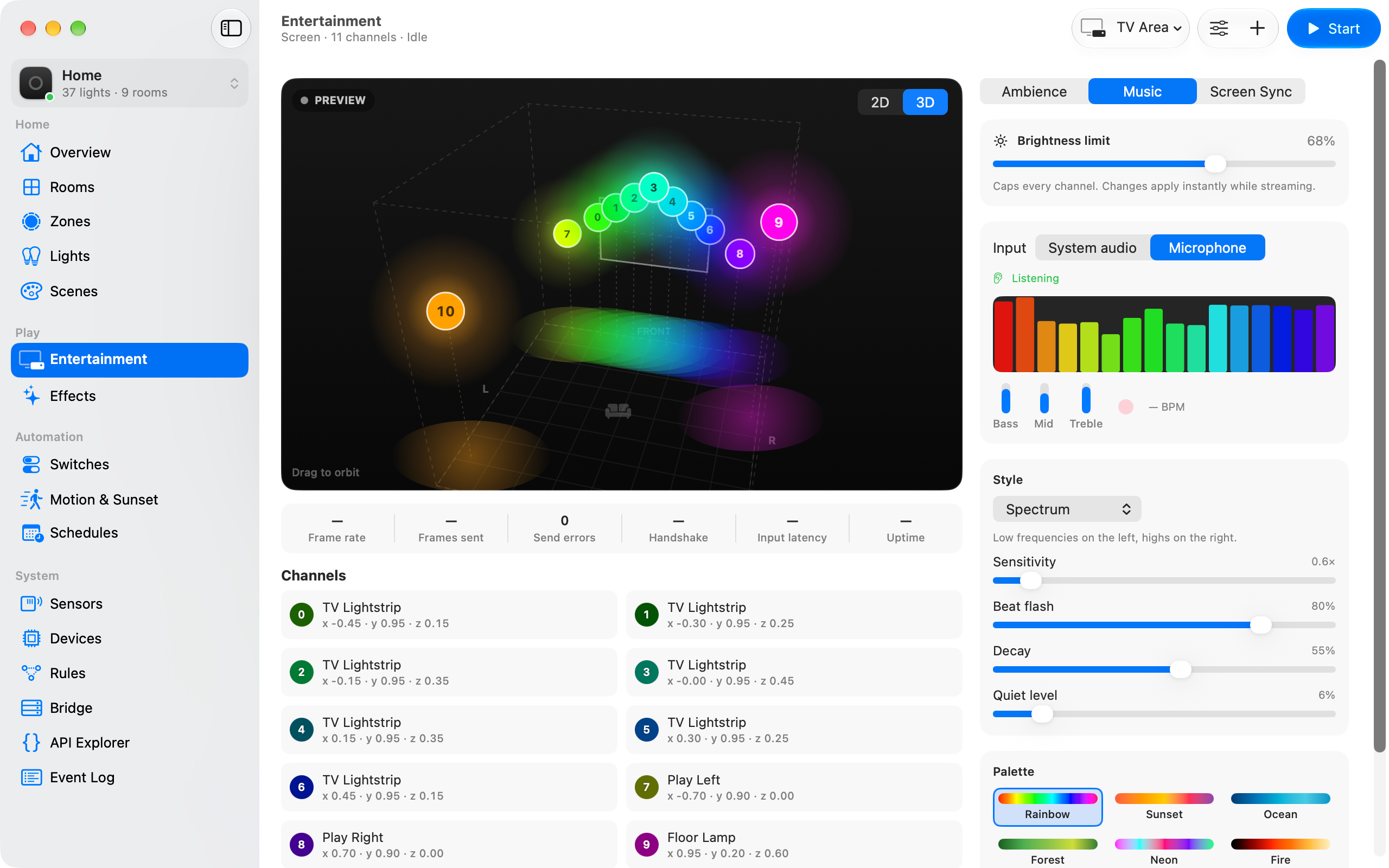
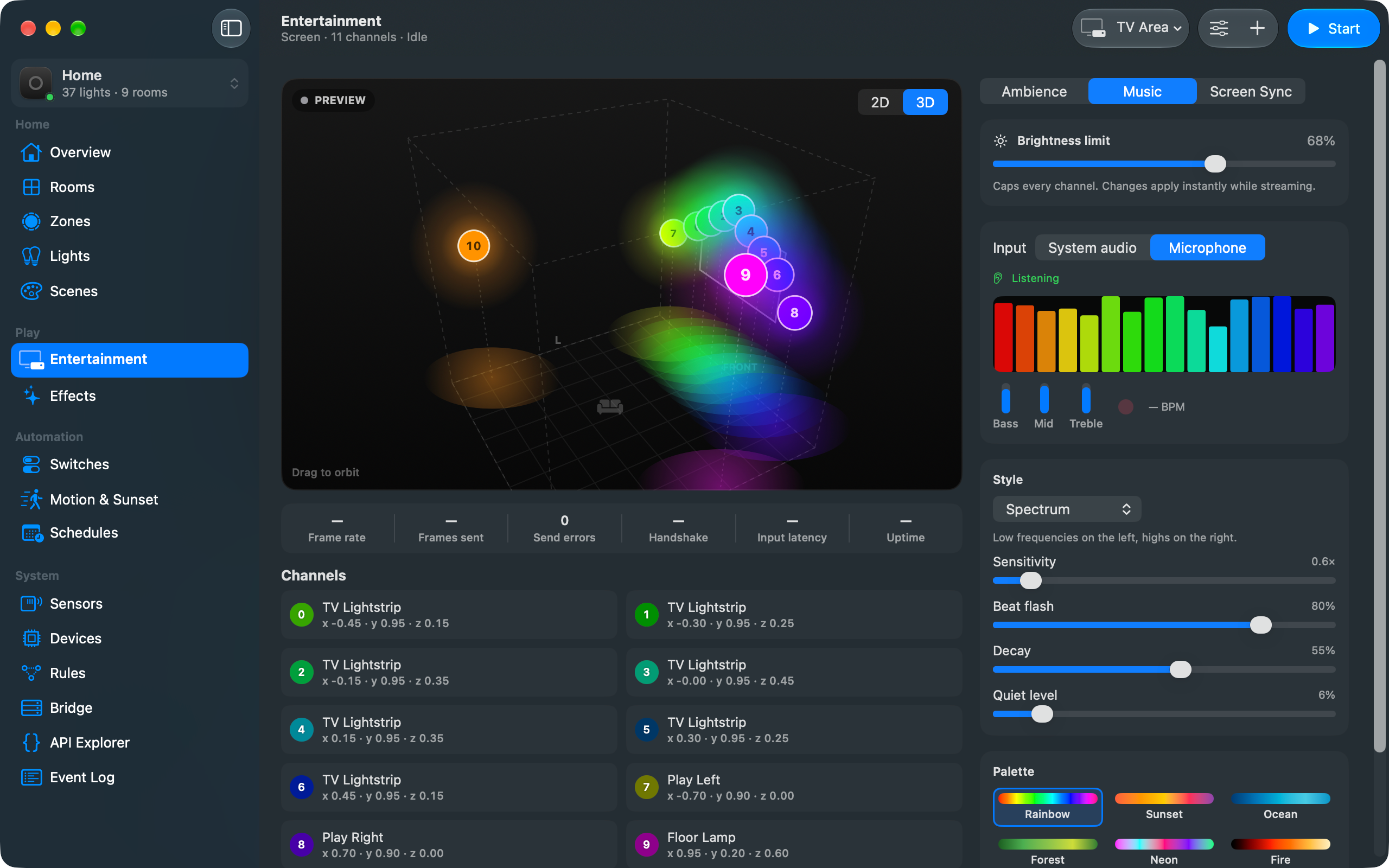
Stream to an entertainment area: react to music from the microphone or system audio, sync with what’s on screen, or just set an ambience. There’s a 3D preview of every channel.
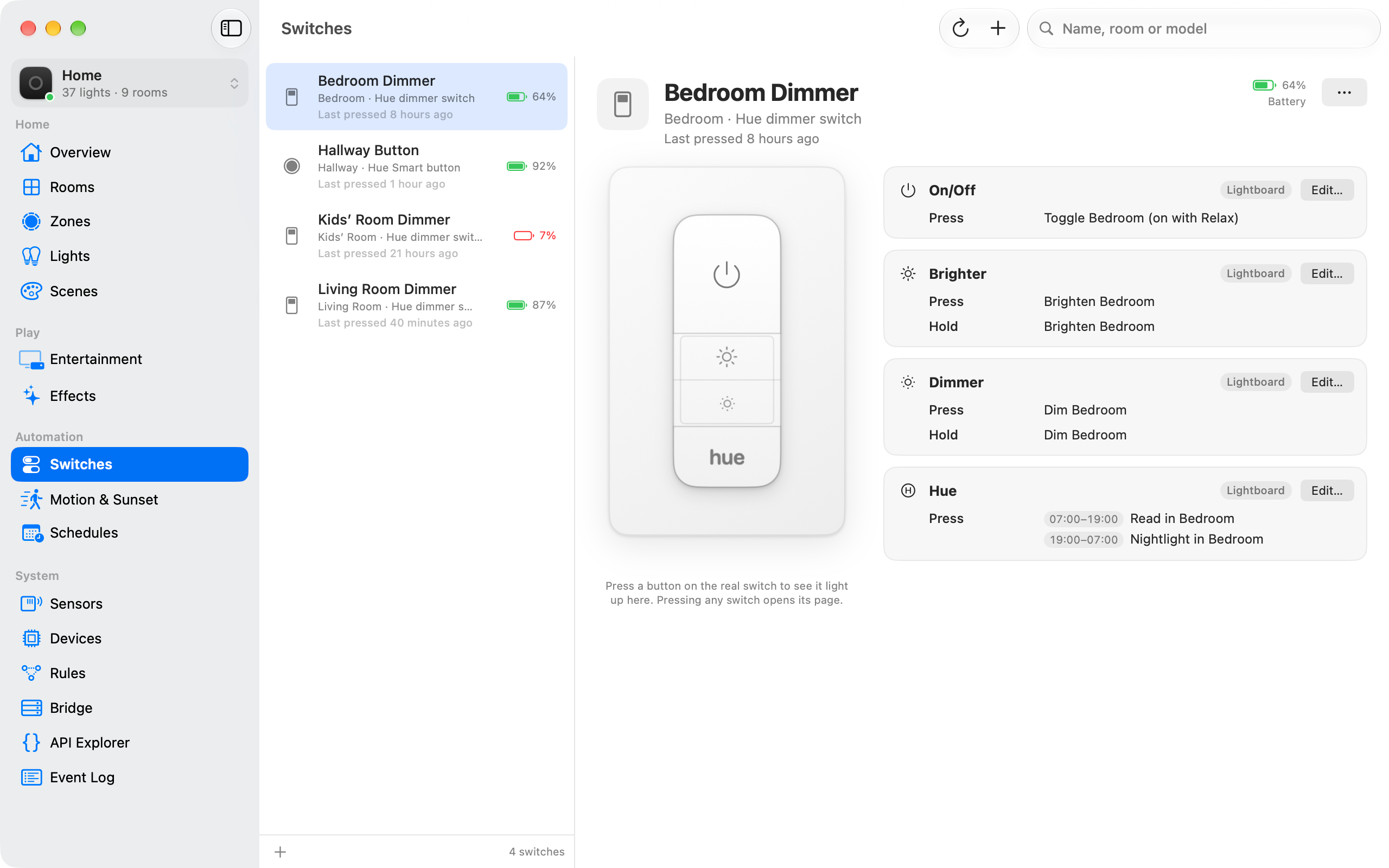
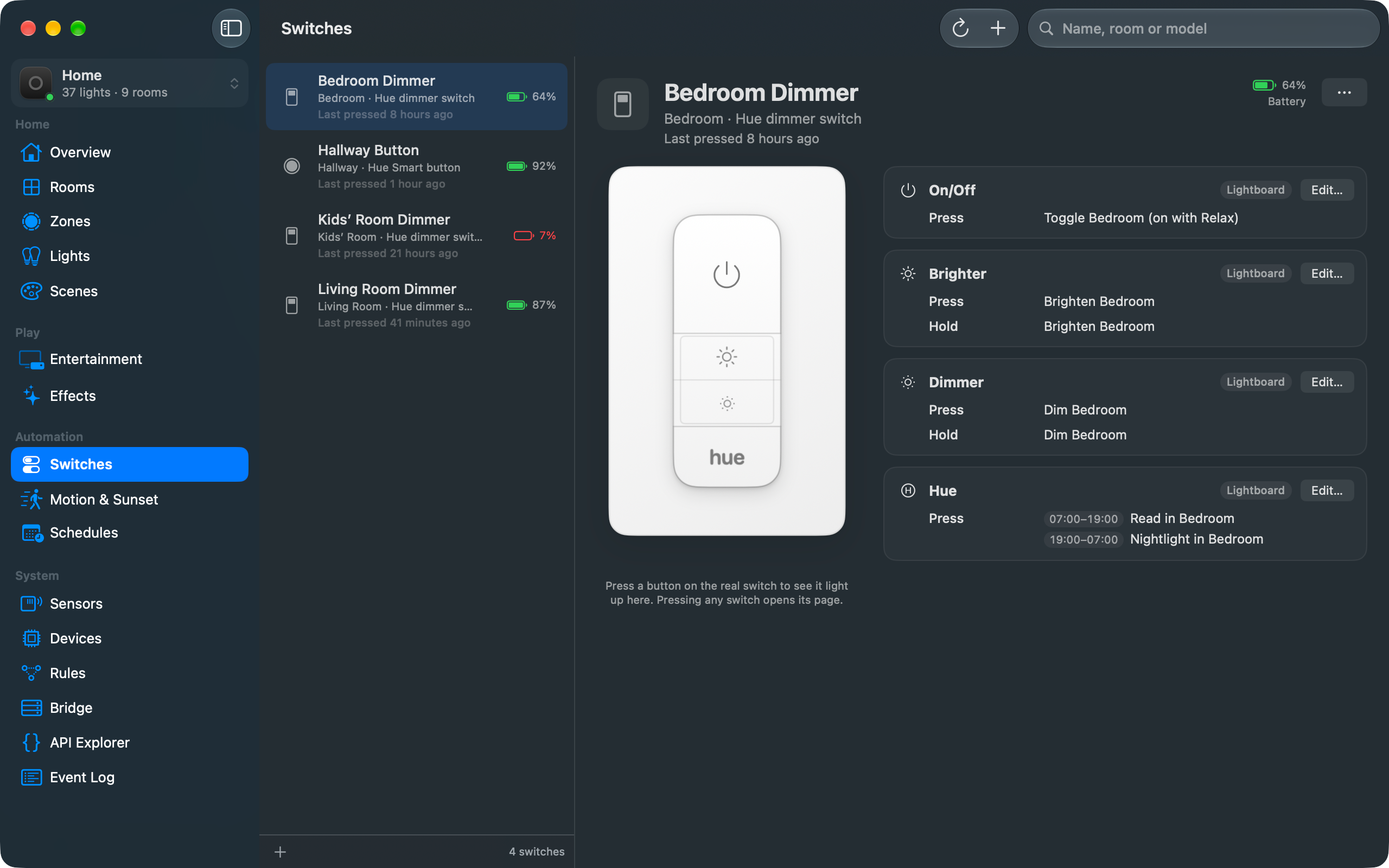
See exactly what every button on your Hue switches does, time of day included, and change it. Press a button on the real switch and it lights up on screen.
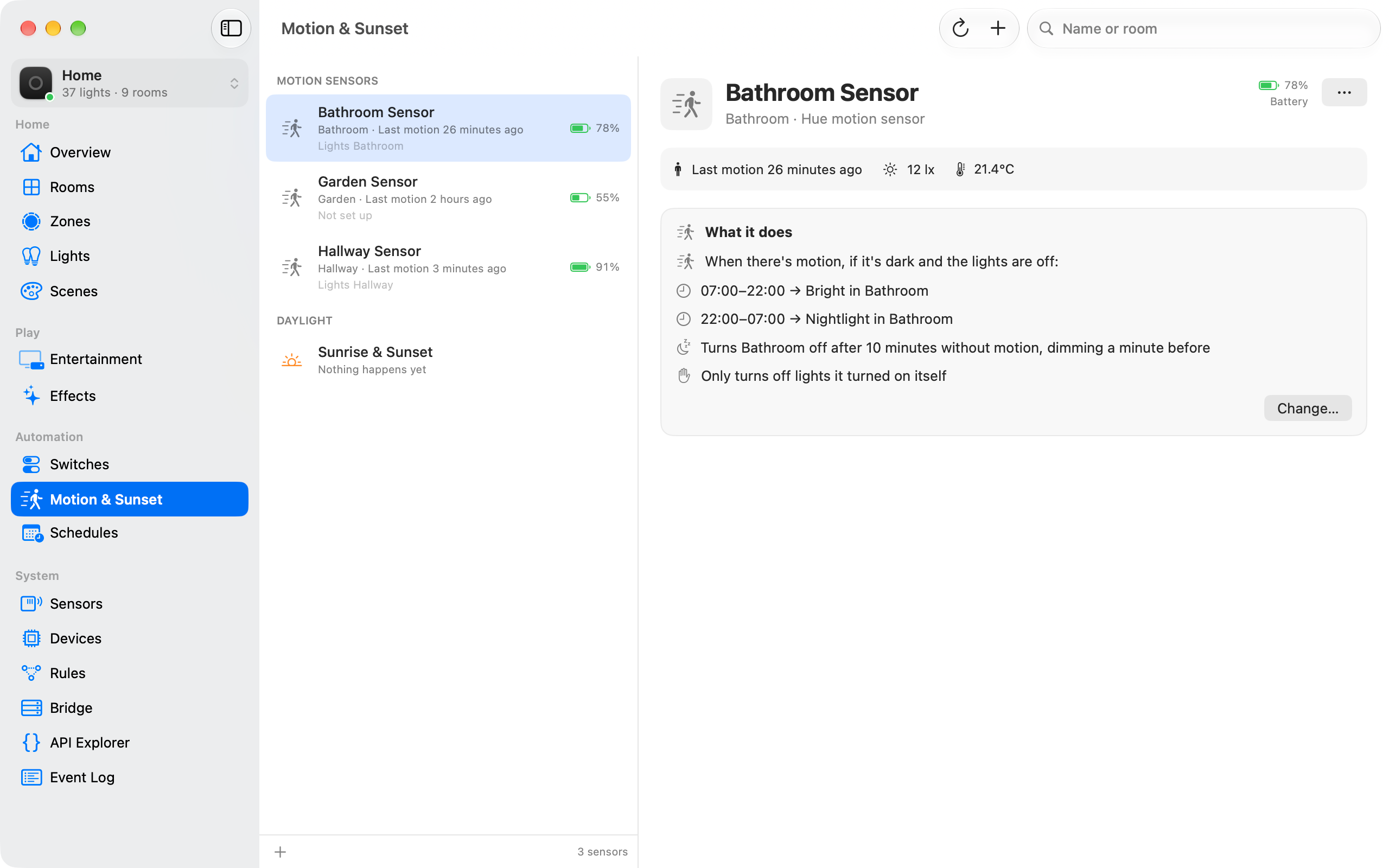
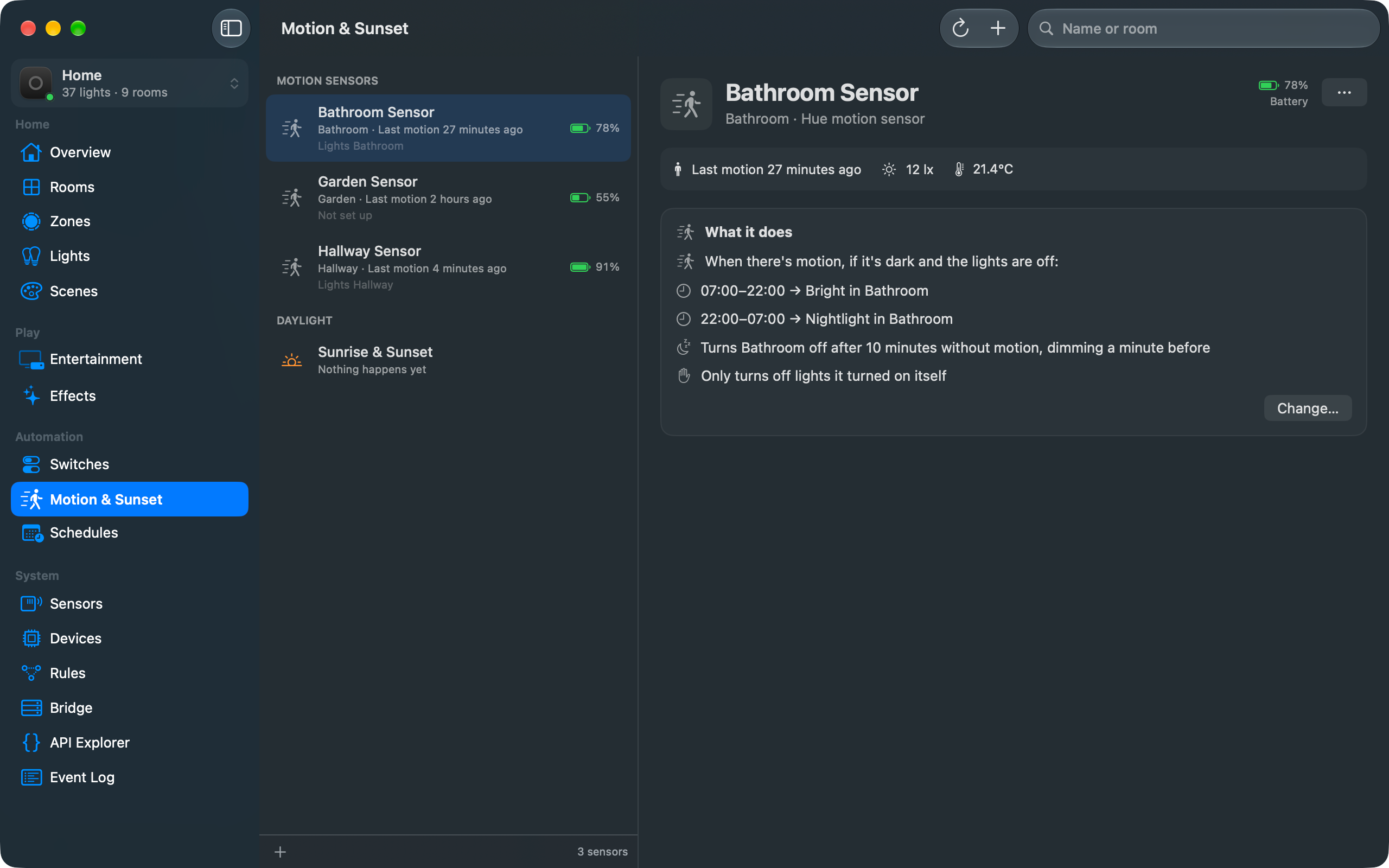
Motion sensors with their last motion, light level and temperature. Set one up to turn a room's lights on when someone walks in and off again when they leave.
The Hue app is fine on your phone. But it doesn’t run on your Mac, and your bridge can do a lot more than it ever shows you.
The Hue app only runs on your phone, and on the Mac there’s just Hue Sync, which syncs your lights with the screen. Lightboard is a proper Mac app, with a menu bar panel, hotkeys and ⌘K to get anywhere.
Lock the screen and the office goes off. Put the Mac to sleep, open an app or shut down, and the lights can follow.
If iConnectHue or another app set up a switch, the Hue app can’t show you what it does. Lightboard shows every button, and can take it over.
Your bridge has a rules engine built in: when this happens, if that’s true, do something. The Hue app doesn’t let you near it. Lightboard has a plain-English editor, and the rules run on the bridge whether your Mac is on or not.
When a bulb dies, the new one can take its place in every room, zone, scene, entertainment area and rule in one go.
Candle, fireplace and the rest normally only run on lights that have them built in. Lightboard plays them on your other colour lights too.
Save everything on the bridge to a file on your Mac, then compare it with how things are now when something’s changed and you’re not sure what.
Export scenes and import them into another room or onto another bridge. Lights are matched by name, so it mostly just works.
An API explorer and a live event log, for when you want to see exactly what the bridge is saying.
The menu bar, Shortcuts, Siri, your keyboard and even the Mac locking its screen can all drive your lights.
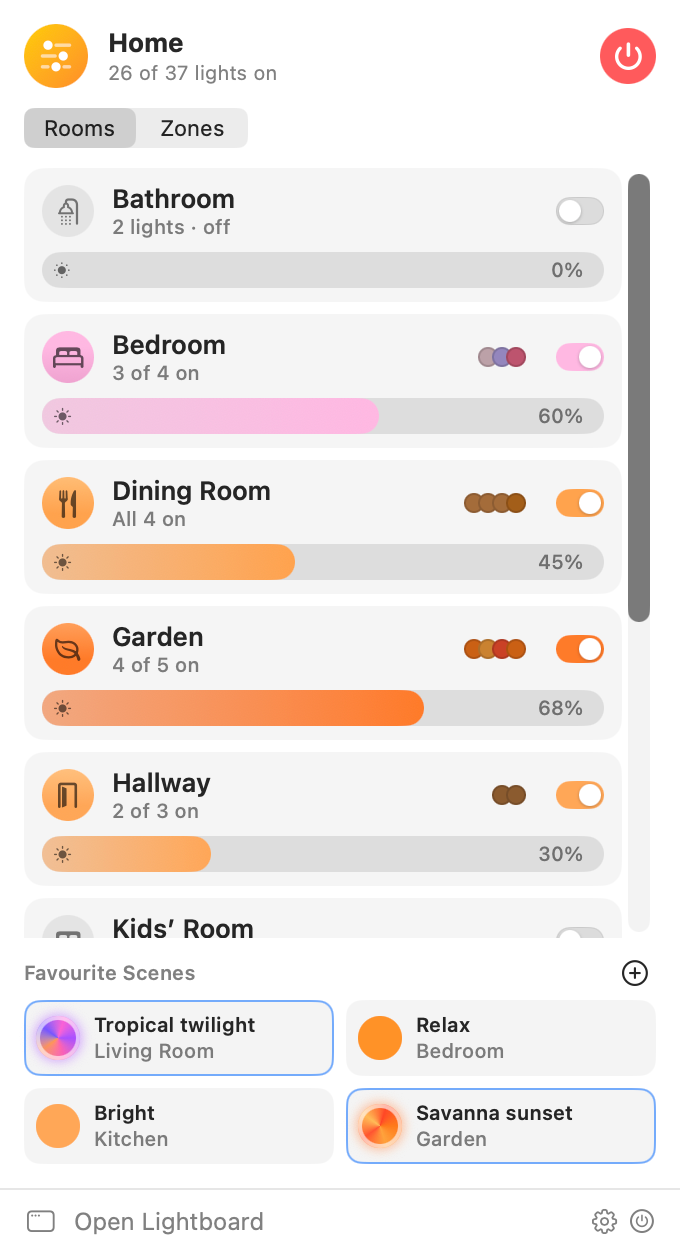
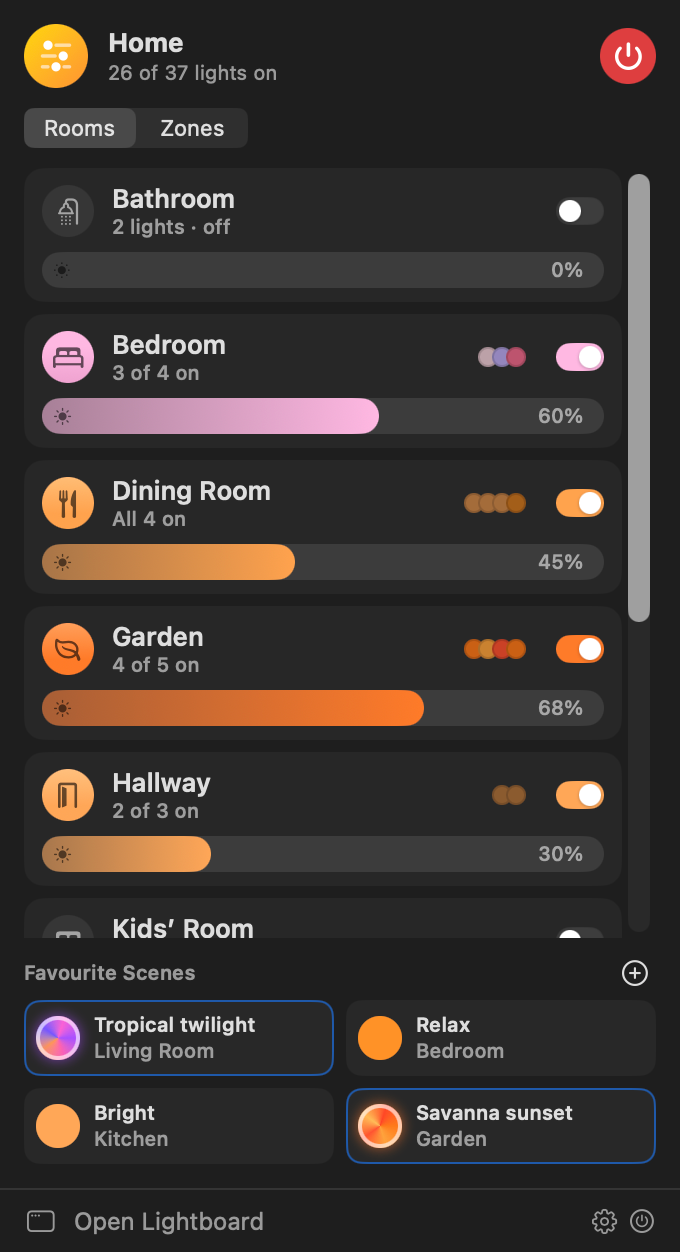
Every room or zone with an on/off switch, a brightness slider and the colours of the lights that are on. Pin favourite scenes for one-click recall, and there’s an “everything off” button.
Turn things on and off, set brightness or a colour, start effects, recall scenes, or ask whether a room is on. It works with no setup: “Turn off all lights with Lightboard”.
Bind any key combination to toggle a room, recall a scene, step brightness or turn everything off. They work from any app, and don’t need Accessibility permission.
Lock the screen and the office goes off. Unlock it in the evening and it comes back on. Sleep, wake, displays, the screen saver, shutting down or an app opening can all run an action.
Anything that can open a URL can control your lights, so it works with Stream Decks, Raycast, Alfred and scripts. Links run in the background without opening any windows.
lightboard://room/Study/togglelightboard://scene/Relax?room=Studylightboard://room/Study/brightness/+10lightboard://light/Desk%20Lamp/color/ff8800lightboard://all/offYour lights are in your house. There's no reason for anyone else to know when you switch them on.
Lightboard talks to your bridges over HTTPS on your LAN. The only other thing it contacts is our update server, to check for new versions, and you can turn that off.
The bridge's certificate has to belong to the bridge you paired with, and it's pinned on first use. If it changes, Lightboard stops and tells you rather than carrying on regardless.
Each bridge's key is kept in the macOS Keychain. Forget a bridge and its key goes too.
The microphone and screen recording are only for music and screen sync. Audio and frames are analysed on your Mac and never stored or sent anywhere.

Download it, or install it with Homebrew.
brew install --cask viaductindustries/tap/lightboardSHA-256 for v0.1.1: 0cf07ac967b2d2ede665d4583828b3c31b3e87a179d20e35910bc1751faaa2ac